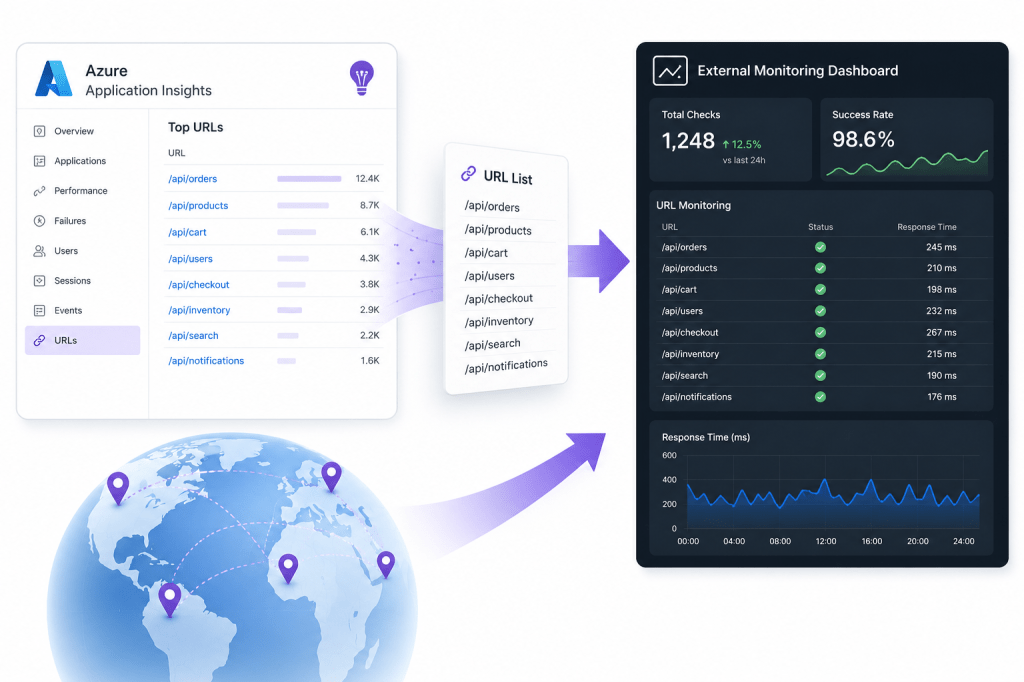
If you’ve read my earlier post on how Single URL Ping Tests are about to get expensive, you’ll know the shape of the problem. Microsoft retires URL ping tests on 30th September 2026, and the Standard tests that replace them are billed per execution, so a big estate of free checks can quietly turn into a real monthly bill.
One perfectly reasonable response, and the one that prompted this, is to move those uptime checks out to an external monitoring provider instead.
Whichever way you jump, the first job is the same and slightly tedious: get a clean list of every URL you’re currently checking out of Azure. Doing that by hand, opening each Availability Test in the portal and copying the URL one at a time, is exactly the sort of thing you don’t want to do a hundred times over. So here’s a small, read-only script that does it for you.
The script
<#.SYNOPSIS Retrieves every URL ping target from all Availability Tests (web tests) in a given Azure subscription and prints them as a comma-separated, quoted list..DESCRIPTION Read-only. Authenticates interactively as the signed-in user, then enumerates all Application Insights availability tests (microsoft.insights/webtests) in the target subscription. Two test kinds carry a URL: * "ping" - a single URL held inside the Configuration.WebTest XML blob. * "standard" - the URL is exposed directly on the Request.RequestUrl property. Multi-step tests are skipped (they have no single ping URL). The output is a de-duplicated, sorted, comma-separated list where each URL is quoted, e.g. "https://www.example.com", "https://www.example.co.uk", "https://www.example.de"#>$SubscriptionId = "<your-subscription-id>"$TenantId = "<your-tenant-id>"Import-Module Az.AccountsImport-Module Az.Resources$ErrorActionPreference = 'Stop'# --- Authenticate as the current user -------------------------------------------------$context = Get-AzContextif ($null -eq $context) { $connectArgs = @{} if ($TenantId) { $connectArgs['TenantId'] = $TenantId } if ($SubscriptionId) { $connectArgs['SubscriptionId'] = $SubscriptionId } Connect-AzAccount @connectArgs | Out-Null}if ($SubscriptionId -and (Get-AzContext).Subscription.Id -ne $SubscriptionId) { Set-AzContext -SubscriptionId $SubscriptionId -TenantId $TenantId | Out-Null}$sub = (Get-AzContext).SubscriptionWrite-Host "Scanning subscription '$($sub.Name)' ($($sub.Id)) for availability tests..." -ForegroundColor Cyan# --- Enumerate web tests --------------------------------------------------------------$webTests = Get-AzResource -ResourceType 'microsoft.insights/webtests' -ExpandPropertiesif (-not $webTests) { Write-Host "No availability tests found in this subscription." -ForegroundColor Yellow return}$urls = [System.Collections.Generic.List[string]]::new()foreach ($test in $webTests) { $props = $test.Properties $kind = $props.Kind $url = $null switch ($kind) { 'standard' { # Standard tests expose the target URL directly. $url = $props.Request.RequestUrl } default { # Ping (classic) tests: the URL lives inside the WebTest XML config. $xmlText = $props.Configuration.WebTest if ($xmlText) { try { $xml = [xml]$xmlText # The request node carries the URL in its Url attribute. $url = $xml.WebTest.Items.Request.Url } catch { Write-Warning "Could not parse config XML for test '$($test.Name)': $($_.Exception.Message)" } } # Fall back to RequestUrl if a ping test also carries the modern property. if (-not $url) { $url = $props.Request.RequestUrl } } } if ($url) { Write-Host (" {0,-45} -> {1}" -f $test.Name, $url) -ForegroundColor DarkGray $urls.Add($url.Trim()) } else { Write-Host (" {0,-45} (no ping URL - kind '{1}')" -f $test.Name, $kind) -ForegroundColor DarkYellow }}# --- Emit the comma-separated, quoted list --------------------------------------------$distinct = $urls | Sort-Object -UniqueWrite-Host "`nFound $($distinct.Count) distinct URL ping target(s):`n" -ForegroundColor Green$output = ($distinct | ForEach-Object { '"{0}"' -f $_ }) -join ",`n"Write-Output $output
Note: The script shown above was generated using Claude AI, I have personally reviewed and used it but it’s worth mentioning.
It authenticates interactively as you, sets context to the target Subscription, and enumerates every microsoft.insights/webtests resource in it. For each one it works out the kind, pulls the URL from the right place, and collects it. At the end it de-duplicates and sorts the list, then prints it as quoted, comma-separated values.
That output format is deliberate. It drops straight into the bulk-import field of a lot of external monitoring tools, or into a Terraform list, or a JSON array, with barely any reshaping. The Write-Host lines give you a running commentary of which test mapped to which URL as it runs, which is handy for spotting the odd test that doesn’t resolve to anything.
Next steps
Run it against each Subscription you care about, paste the output wherever your new checks are going, and you’ve turned an afternoon of copy and paste into a few seconds of scrolling. For the wider picture on the retirement and the pricing that’s driving all of this, my earlier post has the numbers: Your Azure Single URL Ping Tests are About to Get Expensive. Microsoft’s canonical reference is the Application Insights availability tests documentation.






Leave a Reply