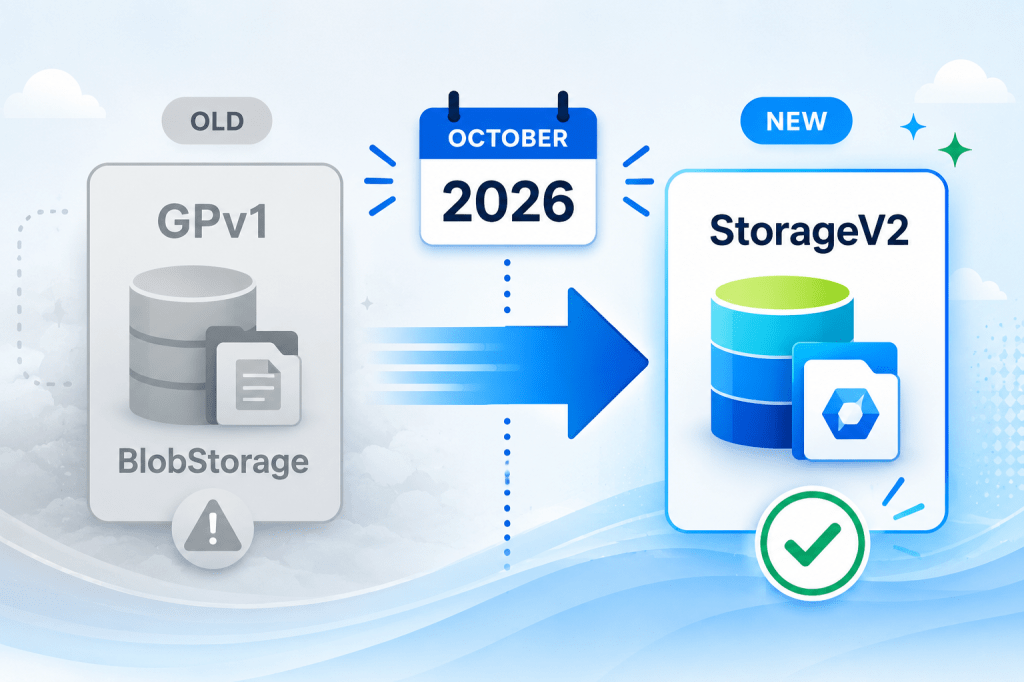
If you’ve still got General Purpose v1 (GPv1) or legacy Blob storage accounts sitting in a subscription somewhere, you’re on a clock. Microsoft is retiring both account types on the 13th October 2026, and here’s the part that will catch people out, doing nothing may still cost you.
Microsoft treats inaction as consent to migrate the account for you, on their schedule, with their default settings and the new pricing model will hit some workloads harder than others.
What’s actually being retired?
Two legacy account types are going away –
- General Purpose v1 (GPv1) – Blobs, Files, Queues, and Tables under one roof, on the classic redundancy SKUs (LRS, GRS, RA-GRS). It predates blob access tiers.
- Legacy Blob storage – a blob-only account that supported access tiers but never supported Files, Queues, or Tables.
The destination for both is General Purpose v2 (GPv2) which has been the default for several years now. But we all know how long legacy workloads can stick around until your hand is forced.
The timeline, and the “auto-migration” catch
- Q1 2026 – creation of new GPv1 accounts blocked (GPv1 is already gone from the portal create blade).
- June 2026 – creation of new legacy Blob storage accounts disabled.
- 13 October 2026 – full retirement. Anything left on GPv1 or legacy Blob gets auto-migrated to GPv2 by Microsoft.
Microsoft has confirmed there are no exceptions and the upgrade is one-way. You cannot revert to GPv1 afterwards. During a planned upgrade your data stays available with no loss of service.
During an auto-upgrade, Microsoft’s own guidance is softer, data is preserved, but access “could be temporarily impacted” and the timing isn’t yours to choose. That’s reason enough to do this on your terms.
The cost impact
GPv2 lowers per GB storage cost (roughly 30–40% cheaper, more on the cooler tiers) but raises transaction cost, and the increase is not subtle.
GPv1 charged a single flat rate per 10,000 operations regardless of type. GPv2 prices operations granularly and write/list operations on the Hot tier are dramatically more expensive. The ratio runs to roughly 150x on writes. So the verdict depends entirely on your read/write/list intensity.
Let’s look at two examples –
- Scenario A – a 5 TB backup target, few operations.
- Per-GB drops 40%, transactions are negligible either way. GPv2 is a straight win. (£110 on GPv1 vs £72 on GPv2 per Month roughly)
- Scenario B – a chatty workload doing 200 million write/list operations a month with around 100GB of data
- Transactions go from a few pounds a month to several hundred. The storage saving doesn’t come close to covering it. (£7.61 on GPv1 vs £881 on GPv2 per Month roughly)
A rough, illustrative shape in GBP (UK South, Hot, LRS) –
| Workload (monthly) | GPv1 transactions | GPv2 transactions (Hot) |
|---|---|---|
| 200M write/list ops | £5.37 | £879.32 |
Unfortunately, this means you can’t just sit on this and let Microsoft auto-migrate you, as potentially your costs could balloon due to this change (or alternatively could drop significantly in which case you’re losing money already which you could be saving each month).
So to put it simply, pick the right access tier per workload, and apply lifecycle management to push cold data down the tiers so transaction-heavy paths aren’t paying Hot rates. Pull your actual operation counts from Azure Monitor / storage metrics and run them through the Pricing Calculator first.
How to find and fix them
Azure Resource Graph catches both kinds of Storage Accounts across every subscription:
resources| where type == "microsoft.storage/storageaccounts"| where kind in ("Storage", "BlobStorage")| project name, kind, sku=tostring(sku.name), location, resourceGroup, subscriptionId
Then upgrade with PowerShell, choosing the tier explicitly rather than accepting a default:
Set-AzStorageAccount -ResourceGroupName <rg> -Name <sa> ` -UpgradeToStorageV2 -AccessTier Hot # or Cool
Clear any management locks first, test against a staging account, and check any automation that keys off kind before you run it at scale.
Quickly Calculating Impact
The PowerShell script found below will query every Subscription for all GPv1 Storage Accounts and Blob Storage resources and will calculate an estimated cost delta between now and after migration with the default settings.
This should act as a worst-case scenario view as it calculates all costs using a single region (UK South currently) and assumes migrating everything to Hot-tier.
$tenantId = "###" # Enter your tenants ID here, or remove usage of $tenantId below if not needed

Connect-AzAccount -Tenant $tenantId

# Some example values based on UK South rates, used to calculate an estimated change in cost when migrating from GPv1 to GPv2. Adjust as needed for your region and target tier.
# Per 10,000 operations and per GB/month, GBP. Source: Pricing Calculator / invoice.
$rates = @{
    GPv1    = @{ TxnPer10k = 0.0003;                                            StoragePerGB = 0.0224 }
    GPv2Hot = @{ WritePer10k = 0.0574; ListPer10k = 0;
                 ReadPer10k  = 0.0045; OtherPer10k = 0.0045;                    StoragePerGB = 0.0142 }
}
$targetTier = 'GPv2Hot'   # the tier you'd actually migrate to
# ==========================================================================

$end    = Get-Date
$start  = $end.AddDays(-30)

function Get-Bucket ($api) {
    switch -Regex ($api) {
        '^(Put|AppendBlock|CopyBlob|SetBlob|Snapshot)' { 'Write'; break }
        '^(List|CreateContainer)'                      { 'List';  break }
        '^Get'                                         { 'Read';  break }
        default                                        { 'Other' }
    }
}

$subs = Get-AzSubscription -TenantId $tenantId

$report = foreach ($sub in $subs) {
    Write-Host "Processing subscription: $($sub.Name)" -ForegroundColor Cyan
    Set-AzContext -SubscriptionId $sub.Id | Out-Null

    $accounts = Get-AzStorageAccount | Where-Object { $_.Kind -in 'Storage','BlobStorage' }

    foreach ($sa in $accounts) {
        $blobId = "$($sa.Id)/blobServices/default"

        # transactions by API, bucketed
        $filter = [string](New-AzMetricFilter -Dimension ApiName -Operator eq -Value '*')
        $m = Get-AzMetric -ResourceId $blobId -MetricName 'Transactions' `
                -StartTime $start -EndTime $end -TimeGrain 1.00:00:00 `
                -AggregationType Total -MetricFilter $filter `
                -Top 1000 -OrderBy 'Total desc' -WarningAction SilentlyContinue

        $b = @{ Write = 0.0; List = 0.0; Read = 0.0; Other = 0.0 }
        foreach ($ts in $m.Timeseries) {
            $count = ($ts.Data.Total | Measure-Object -Sum).Sum
            if ($count) { $b[(Get-Bucket $ts.Metadatavalues.Value)] += $count }
        }
        $totalTxn = ($b.Values | Measure-Object -Sum).Sum

        # blob capacity (GB), blob-scoped so Files/Queue/Table don't distort
        $cap = Get-AzMetric -ResourceId $blobId -MetricName 'BlobCapacity' `
                -StartTime $start -EndTime $end `
                -AggregationType Average -WarningAction SilentlyContinue
        $capGB = [double]((($cap.Data.Average | Where-Object { $_ -ne $null } |
                    Measure-Object -Average).Average)) / 1GB

        # cost modelling
        $t = $rates[$targetTier]
        $gpv1 = $totalTxn / 10000 * $rates.GPv1.TxnPer10k + $capGB * $rates.GPv1.StoragePerGB
        $gpv2 = $b.Write / 10000 * $t.WritePer10k +
                $b.List  / 10000 * $t.ListPer10k  +
                $b.Read  / 10000 * $t.ReadPer10k  +
                $b.Other / 10000 * $t.OtherPer10k +
                $capGB * $t.StoragePerGB

        [pscustomobject]@{
            Subscription = $sub.Name
            Account      = $sa.StorageAccountName
            Kind         = $sa.Kind
            Region       = $sa.Location
            CapacityGB   = [math]::Round($capGB, 1)
            TotalTxn     = [long]$totalTxn
            GPv1_GBP     = [math]::Round($gpv1, 2)
            GPv2_GBP     = [math]::Round($gpv2, 2)
            Delta_GBP    = [math]::Round($gpv2 - $gpv1, 2)
        }
    }
}

# Show the report, sorted by biggest increase in cost (negative delta means cheaper than GPv1)
$report | Sort-Object Delta_GBP -Descending | Format-Table -AutoSize

# Export to CSV for further analysis if needed
$report | Export-Csv -Path "./gpv1-gpv2-delta.csv" -NoTypeInformation
Invoke-Item -Path "./gpv1-gpv2-delta.csv"
For further information on the migration process, be sure ot check out the official documentation – GPv1 storage account retirement overview – Azure Storage | Microsoft Learn






Leave a Reply